We Examine. You Judge.
How to Claim Your Bar
Own or manage a bar listed on The Bar Examiner? Find the listing, open it, and use the claim button shown below.
Find Your Bar1
Find your bar
Use TBE search to locate your bar, then open its full listing page.
2
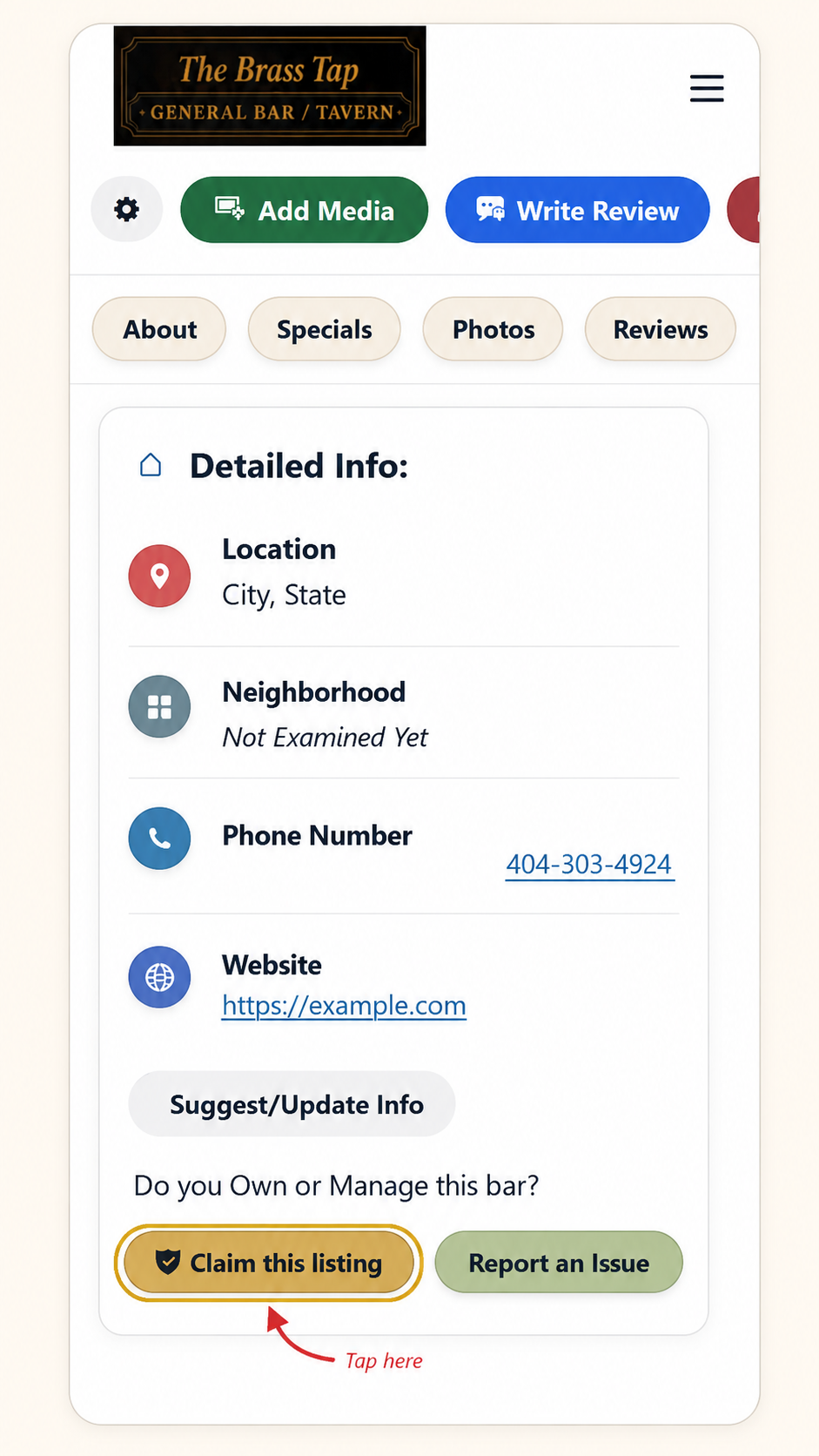
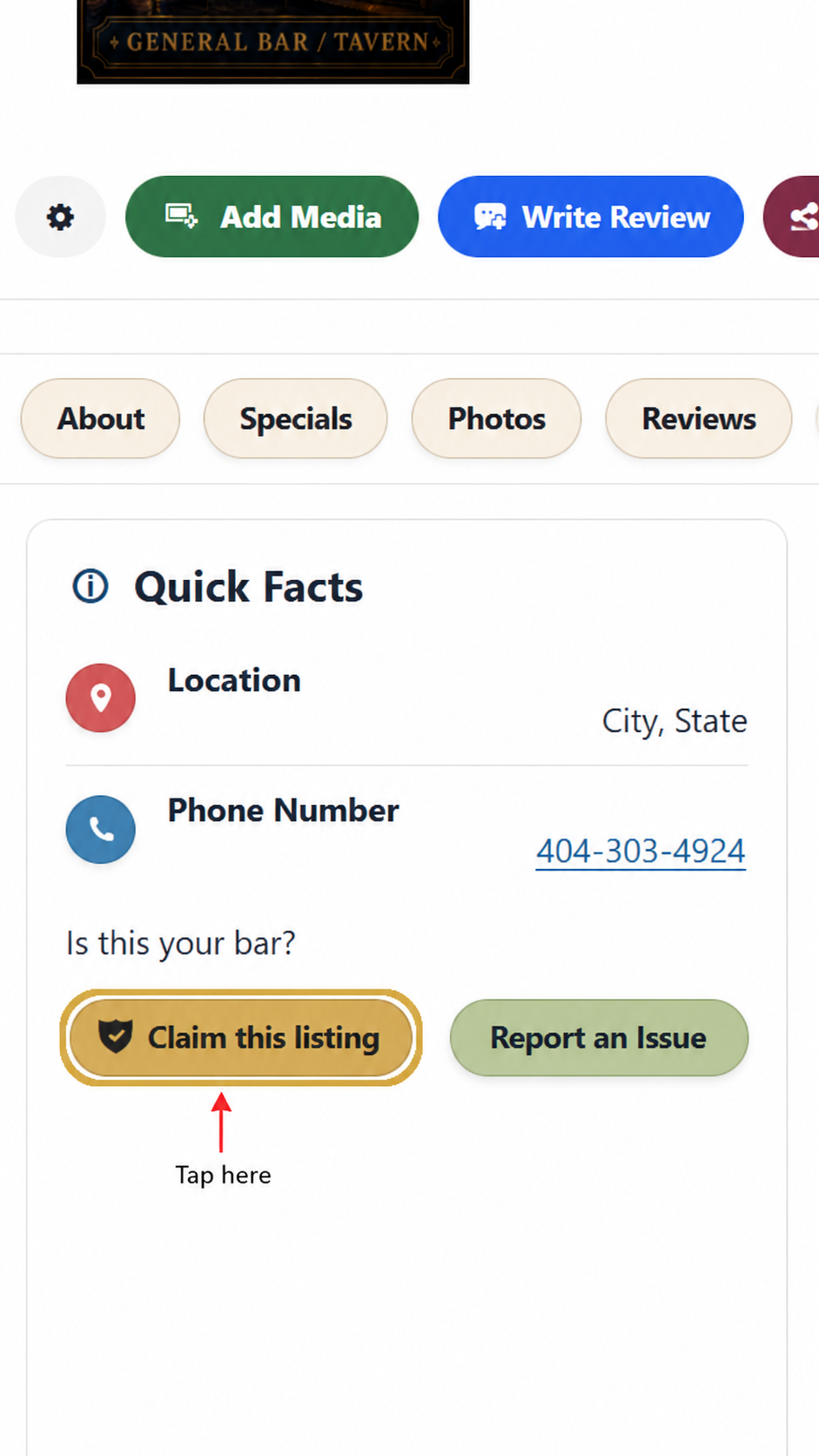
Tap “Claim this listing”
Scroll down until you see either the Quick Facts or Detailed Info section. The claim button may appear in either location.
Quick Facts
Look for the Claim this listing button beneath the basic bar information.
Detailed Info
You may also see the same Claim this listing button near the bottom of the Detailed Info section.